Personal customers
I have lost my debit card, what do I do?
If you happen to lose your Fire debit card, contact us at support@fire.com to request us to cancel your card. In the meantime, you should block your card using your Fire Personal App to ensure it can’t be used to make payments.
Mobile
- Log in to your Fire Personal Account through the mobile app.
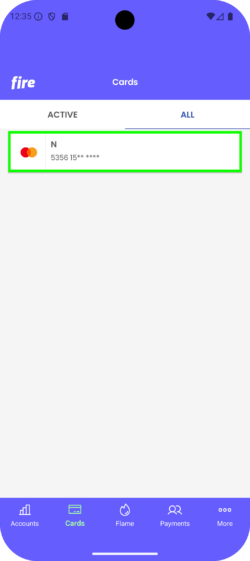
- Go to the ‘Cards’ section and tap on the card you wish to block.
.
.
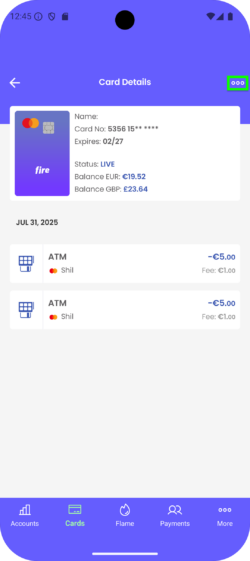
. - Tap the menu icon on the top right of the screen, and tap ‘Block Card’.
.
.
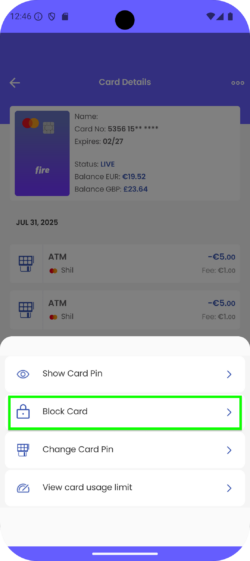
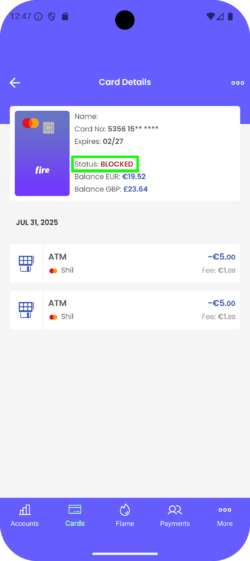
. - You will see the card status updated to ‘BLOCKED’.
.
Web
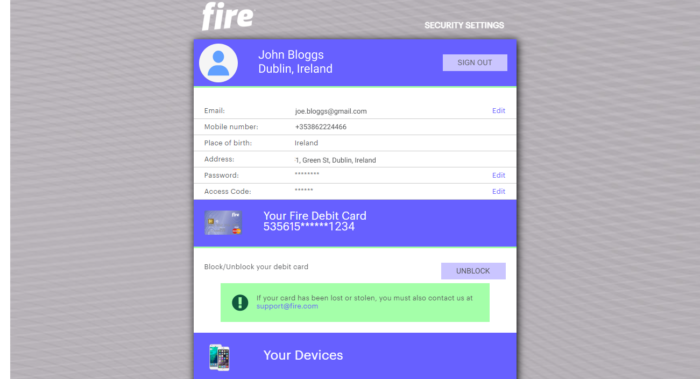
- Go to the Personal Web Account – https://personal.fire.com/login.
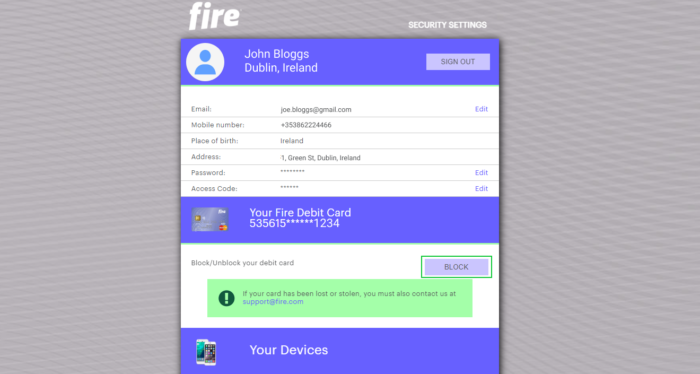
- Under the debit card you wish to block, click the ‘BLOCK’ button.
- You will be asked to confirm that you would like to block the debit card.
- Once confirmed you will now see that the debit card is blocked, with the option to unblock it if you wish by following the same steps.