Personal customers
How do I order and activate my debit card?
As a full user you may order your debit card at any time from the flame section of the app or the main menu. Your card will usually arrive in five business days. Fire debit cards may be used anywhere you see the MasterCard® logo – in store, online, for recurring bills and at ATMs for cash withdrawals. When your card arrives, you must activate the card by following the instructions in the app and letter.
Your Fire debit card is linked to both your sterling and euro accounts. If you are purchasing in sterling or euro you must have funds in the respective account. Purchases in any other currencies (e.g. US Dollars) are converted and applied to your default account (euro for Eurozone residents and sterling for UK residents).
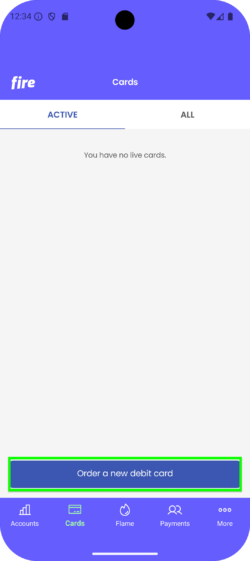
- Sign in to your Fire Personal Account and click on the Cards tab.
- Click the ‘Order a new debit card’ button.
- Confirm that your address is correct, then tap the ‘Continue’ button.
- Read through the ‘Debit Card Fees’ section, then tap ‘Next’.
- Set a secure 4-digit pin for your card to use for chip-and-pin purchases at card terminals, then tap the ‘Next’ button.
- Once the card arrives in the post (usually within five business days), select the card from the Cards tab and tap the ‘Activate Card’ button.
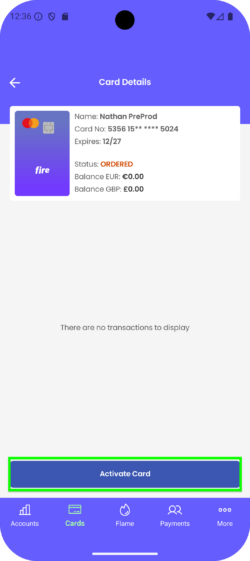
- Enter the CVV code from the back of your card and tap the ‘Next’ button.
- Your card is now ready to make payments.