How can I add money to my Fire account?
You can add money to your Fire account by making a bank transfer from another bank account.
Your Fire sterling account has a sort code & account number, while your Fire euro account has an IBAN. You or anyone who wishes to pay you by bank transfer can use these account details to transfer funds into your Fire account from a bank account in the UK or Eurozone.
To find your Fire account details:
-
Open the Fire Personal mobile app.
-
View your Fire account.
-
Tap the three dots in the top right corner to open the menu.
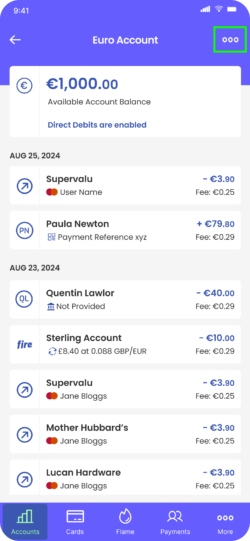
4. Tap ‘View and Share account details’.
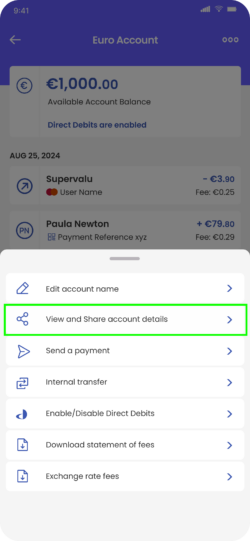
5. Tap the ‘Copy’ icon to copy the IBAN for your euro account, or the sort code and account number for your sterling account.
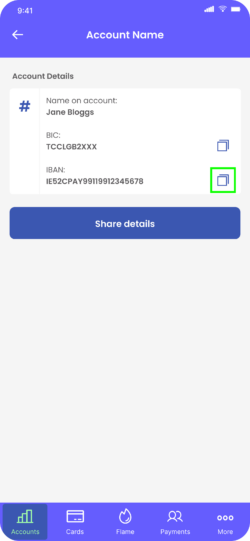
6. You can use these details to make the transfer from your other account.
Find information about processing times here.