How can I send a payment from the Fire Personal app?
Create a bank transfer
-
If you are paying another account for the first time, you will need to add the new payee first.
-
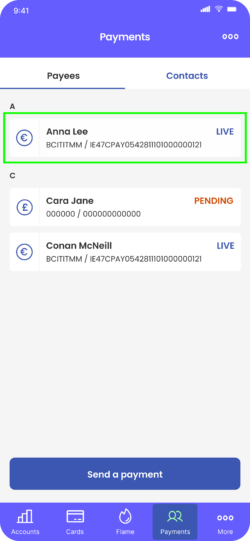
From the Payments tab, select the payee you want to pay.
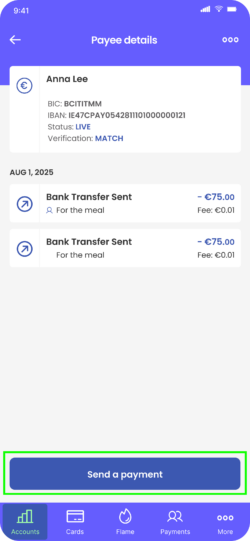
3. Click ‘Send a payment’.
4. If you are making a euro transfer, you may see the option to choose between SEPA Instant, where available, or SEPA Standard. We will automatically select SEPA Instant for you, where it is available, but you can choose the SEPA Standard option instead if you wish.
5. Enter the amount you wish to transfer, an optional reference for your records, and an optional reference to display in the recipient’s account.
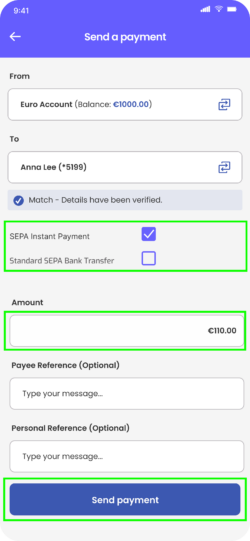
6. Check that the payment details are correct and tap ‘Send Payment’.
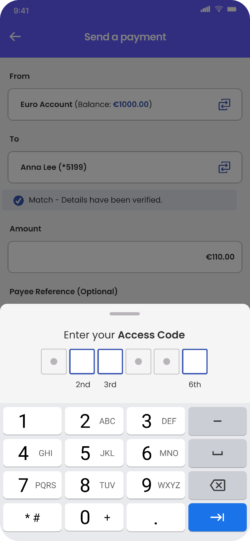
7. Enter the requested digits of your access code.
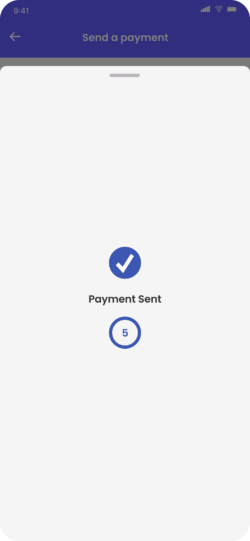
You will see a ‘Payment Sent’ confirmation message on your screen.
Pay another Fire user
-
From the Payments tab, click ‘Contacts’.
-
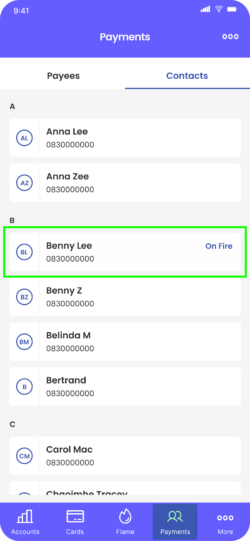
Search for the contact you want to pay. If ‘On Fire’ is displayed next to the contact, you can pay them without adding their account details. Tap the contact to proceed.
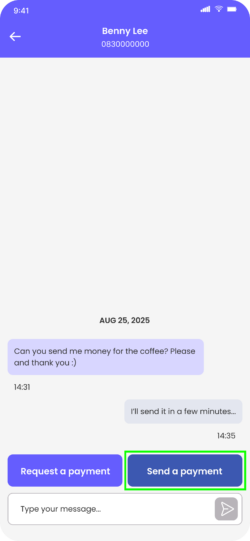
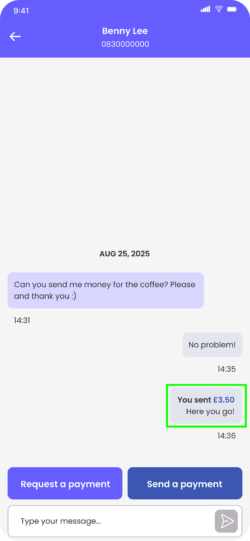
3. Tap ‘Send a payment’.
4. Enter the amount you wish to send. You can enter an optional message for the payee.
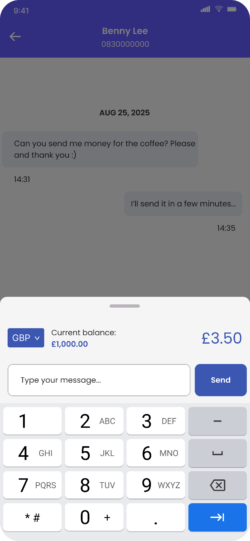
5. Check the currency, amount, and person you are paying are correct, then tap ‘Send’.
6. Enter the requested digits of your access code.
7. You will see the payment confirmation on screen.
Find information about processing times here.