Creating an FX transfer
An FX Transfer is the movement of funds between two of your Fire accounts of different currency.
This differs from an Internal Transfer, which is the movement of funds between two of your Fire accounts of the same currency.
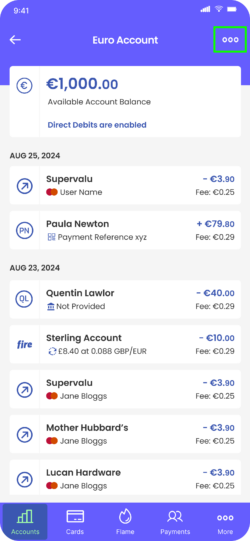
- From your account, tap the three dots to open the menu.
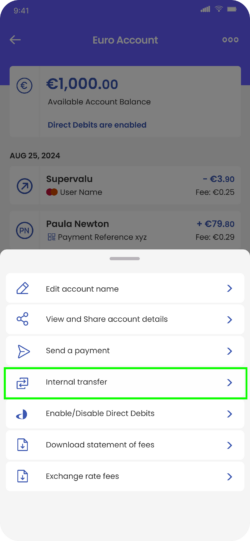
2. Tap ‘Internal Transfer’.
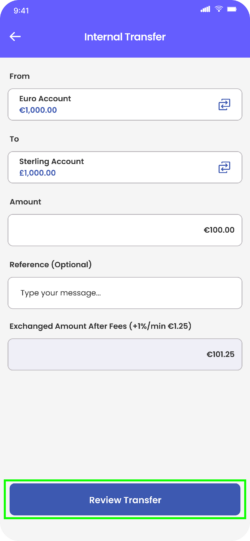
3. Check that the ‘From’ and ‘To’ account are correct.
4. Enter the amount you wish to exchange. The total amount, including the fee, will be displayed under ‘Exchanged Amount After Fees’. This is to let you know exactly how much money will be deducted from this account when you confirm the internal FX transfer.
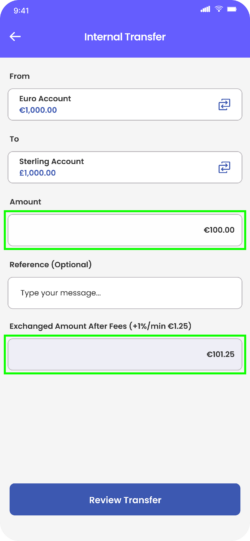
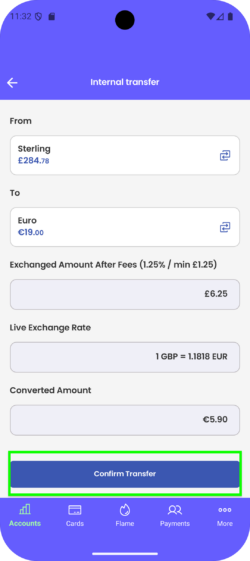
5. Tap ‘Review Transfer’. You will be presented with the transfer details, including the live exchange rate.
6. Tap ‘Confirm Transfer’ once you have reviewed the payment details to complete the internal transfer.
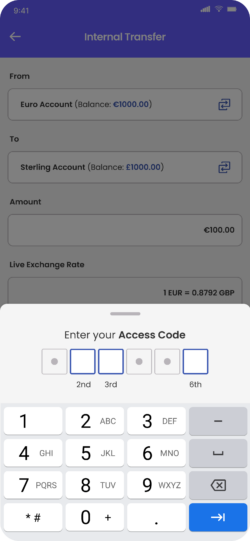
7. Enter the requested digits of your access code.
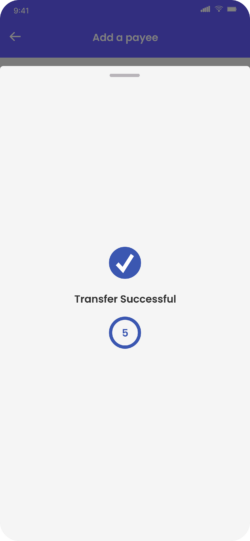
8. You will see the ‘Transfer Successful’ confirmation message on your screen.